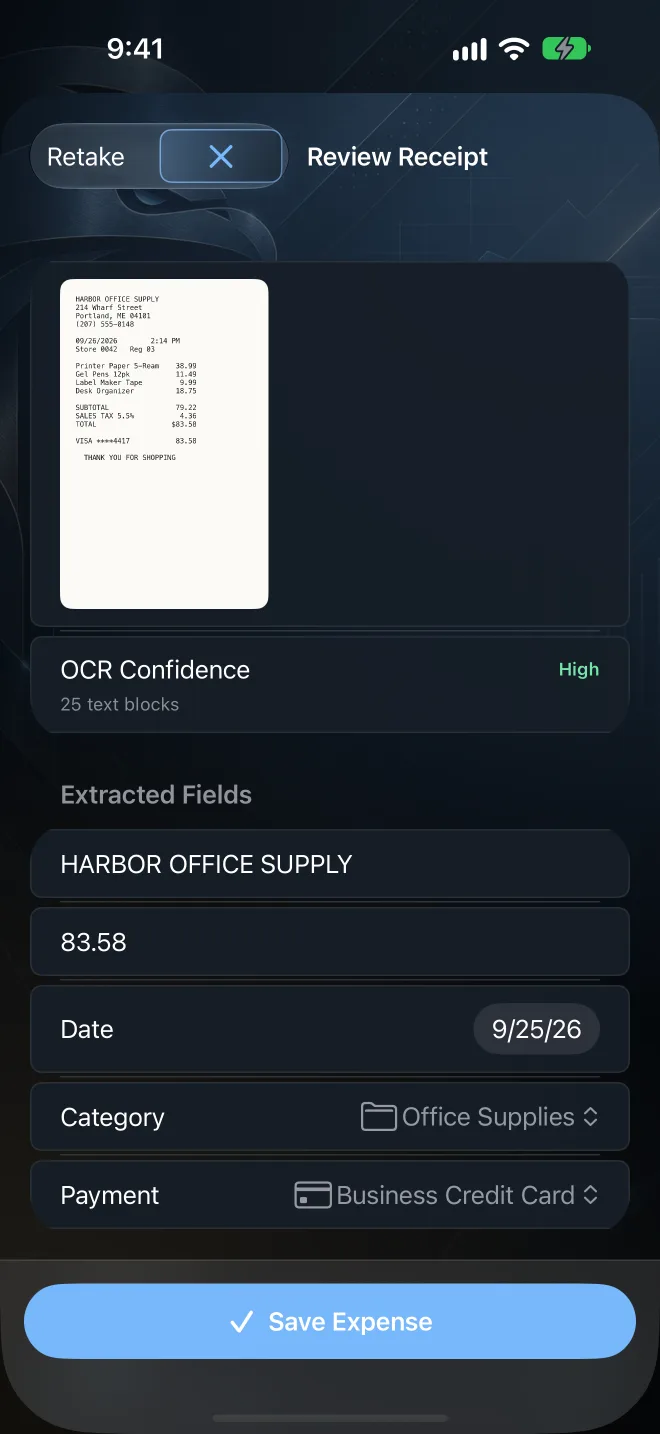
Scan receipt
Turn a paper receipt into an expense.
Talon Tally reads the vendor, amount, date, and payment method with on-device receipt OCR. The image is not sent to a server. You review every field before the expense is saved.
- Open Talon Tally and tap Scan receipt on the Dashboard
- On iPhone or iPad, photograph the receipt or import a photo
- On Mac, import a receipt image or PDF (camera scanning needs an iPhone or iPad)
- Review the recognized fields, fix anything that is off, then save
This link opens Talon Tally directly on an iPhone, iPad, or Mac that has the app installed. If you are seeing this page, download Talon Tally from the App Store, then tap the link again.

Talon Tally is a private receipt and business expense tracker. No bank login and no account needed. It is recordkeeping software, not tax, legal, or accounting advice. See all features