Export on your device
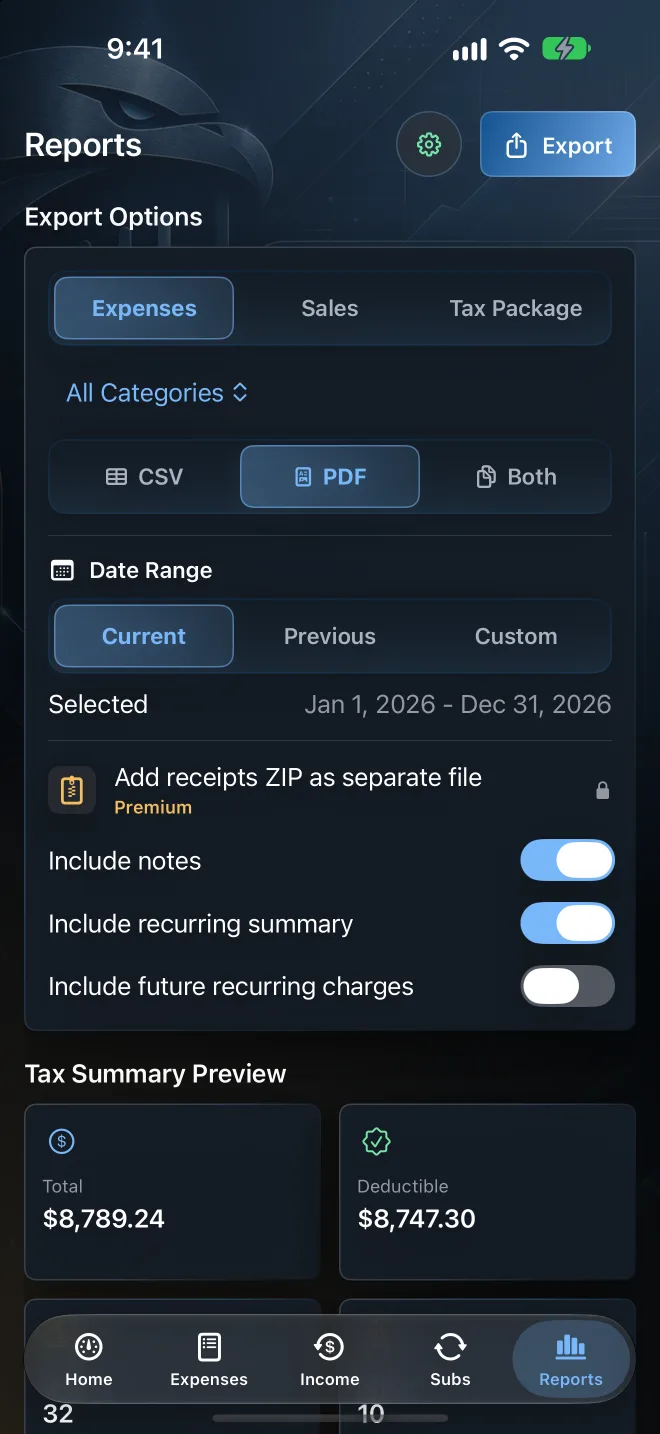
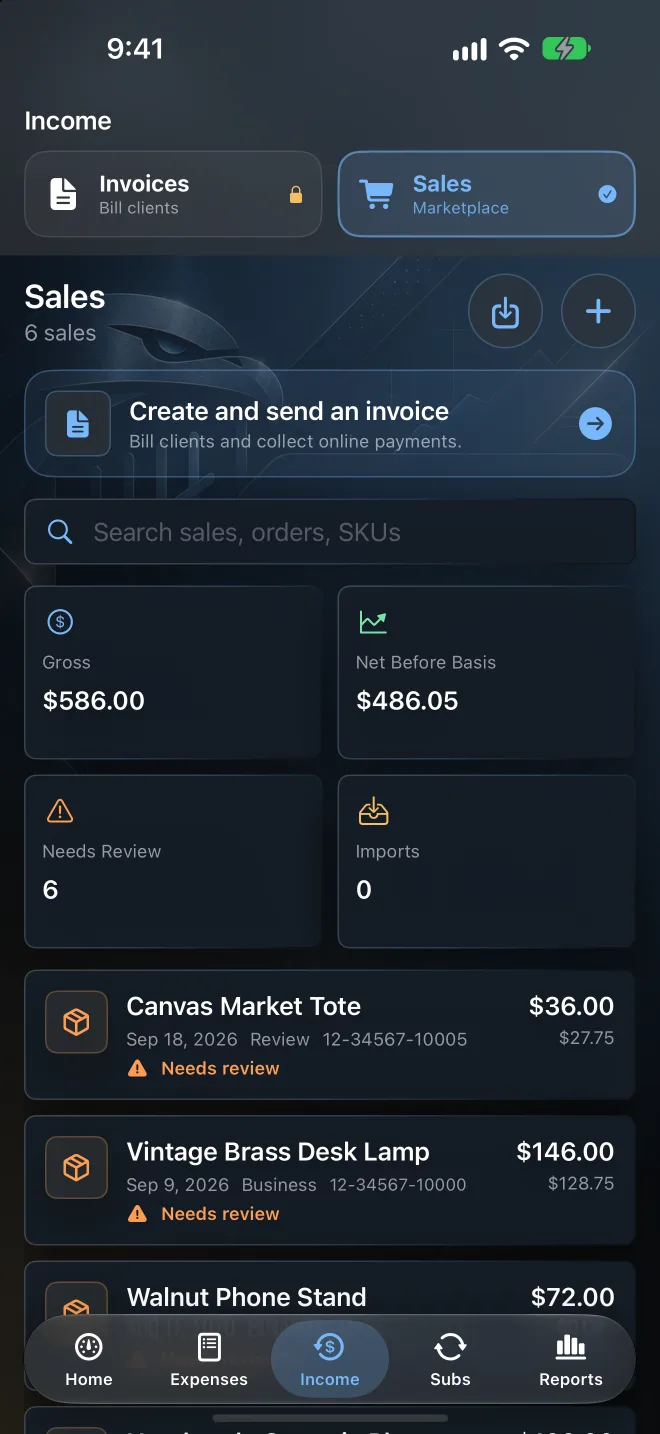
CSV and PDF tax summaries and receipt ZIPs are created locally, then shared however you like.

For solo founders, freelancers & small LLCs
Talon Tally is a private receipt and expense tracker for iPhone, iPad, and Mac. Scan receipts on your device, keep recurring costs in view, and hand your accountant a clean tax package when the year ends.
Free to download. Premium includes a free trial.
A closer look
Six screens cover the whole year, from the first receipt to the export.
Capture
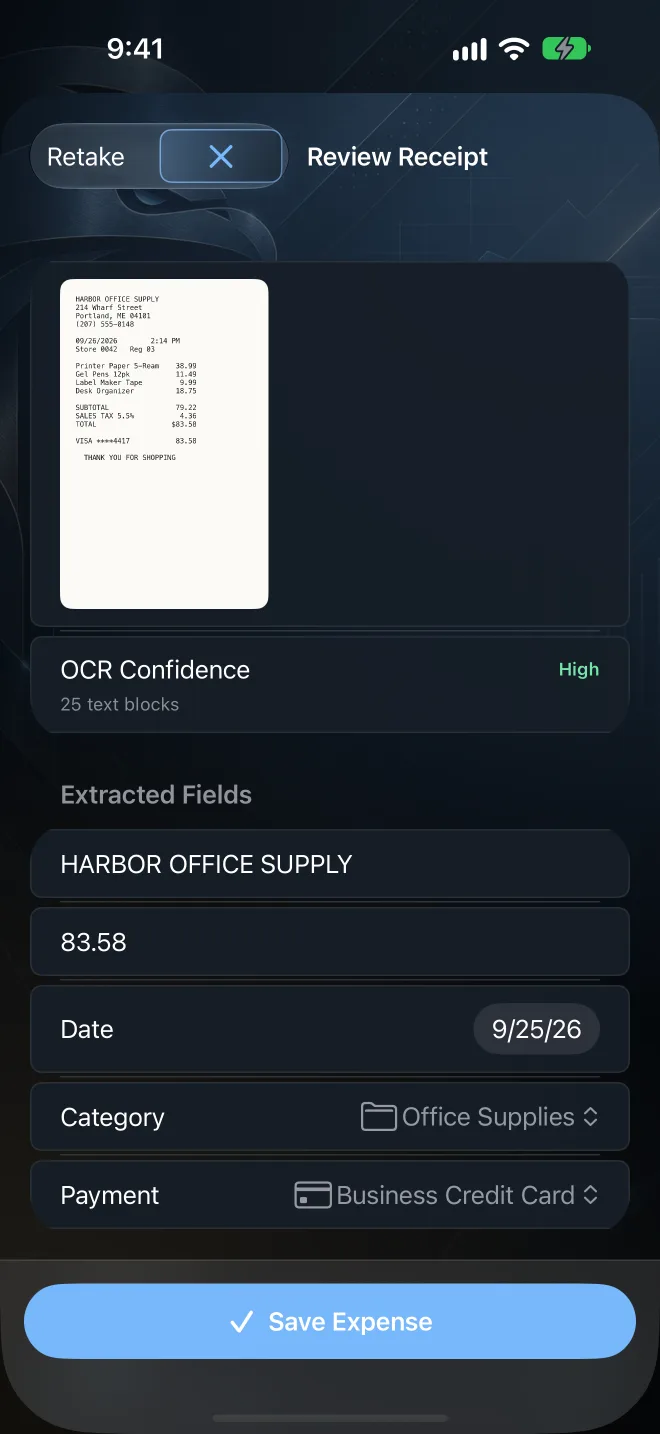
Scan a paper receipt with the camera, or import a photo or PDF. Talon Tally reads the vendor, total, and date on your device, suggests a category, and lets you fix anything before it becomes a record.
Organize
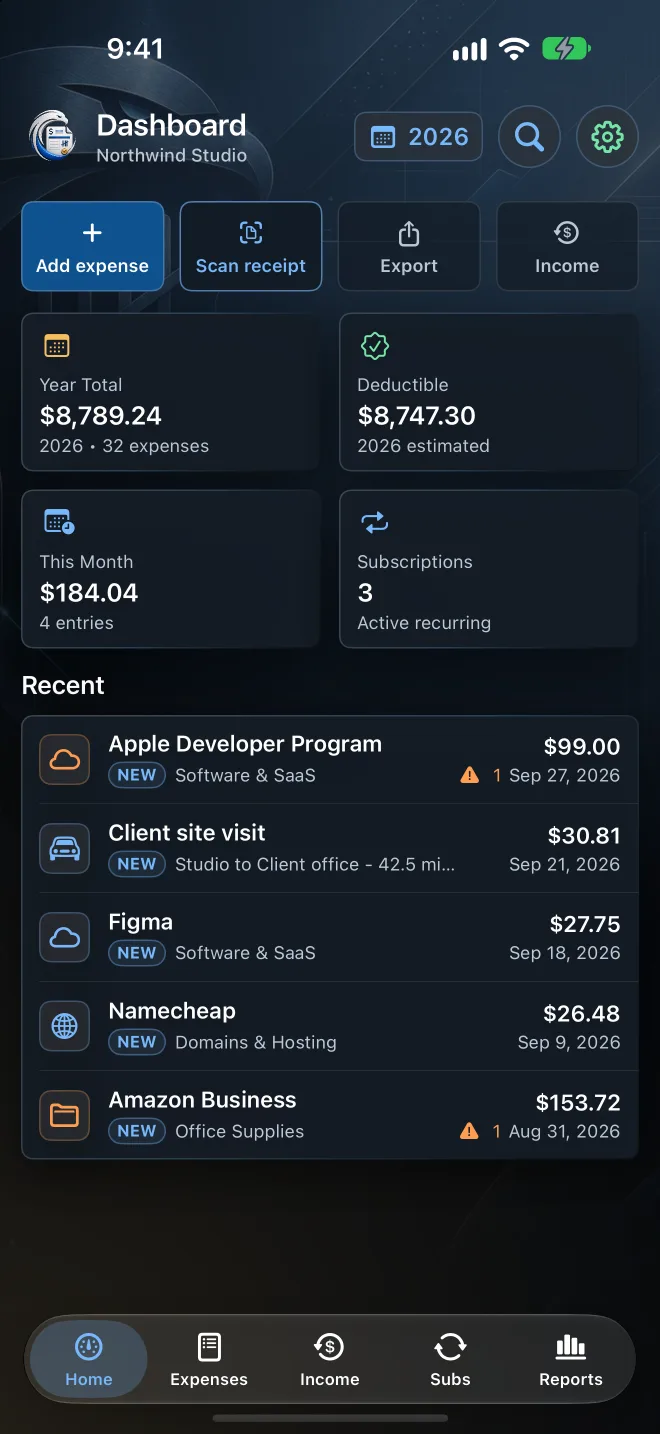
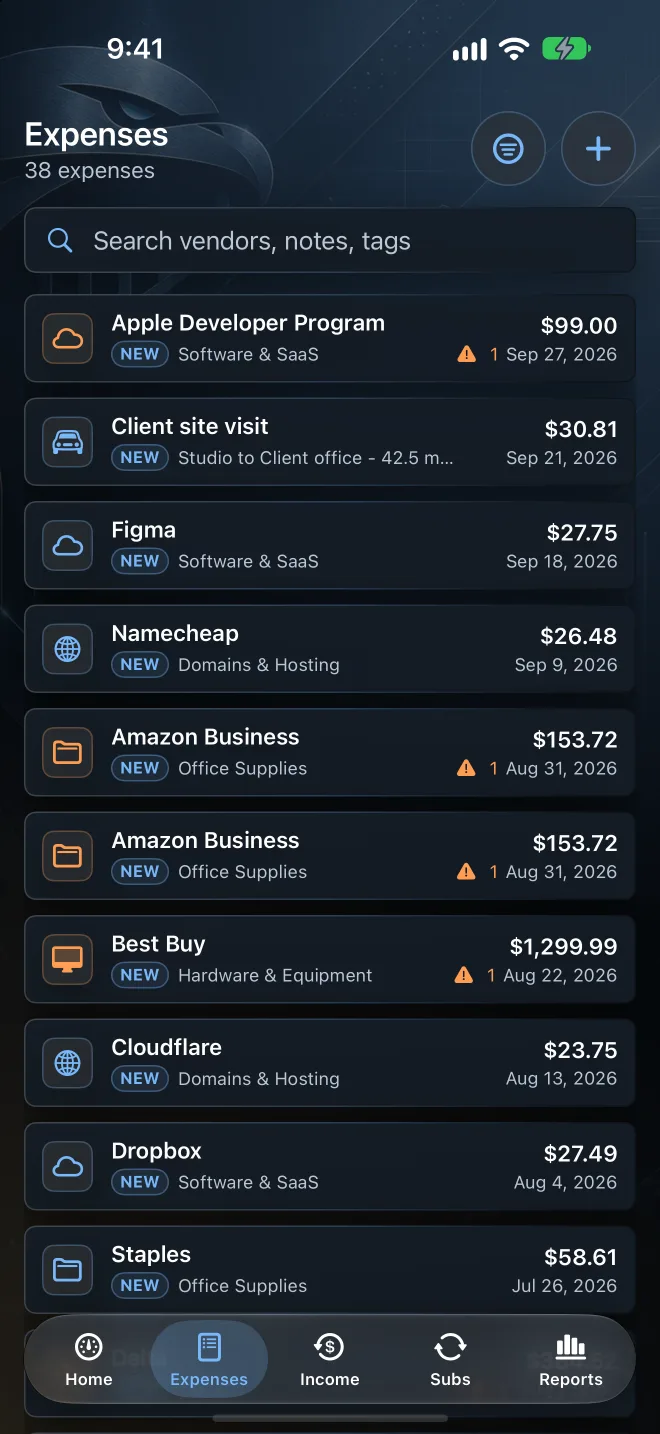
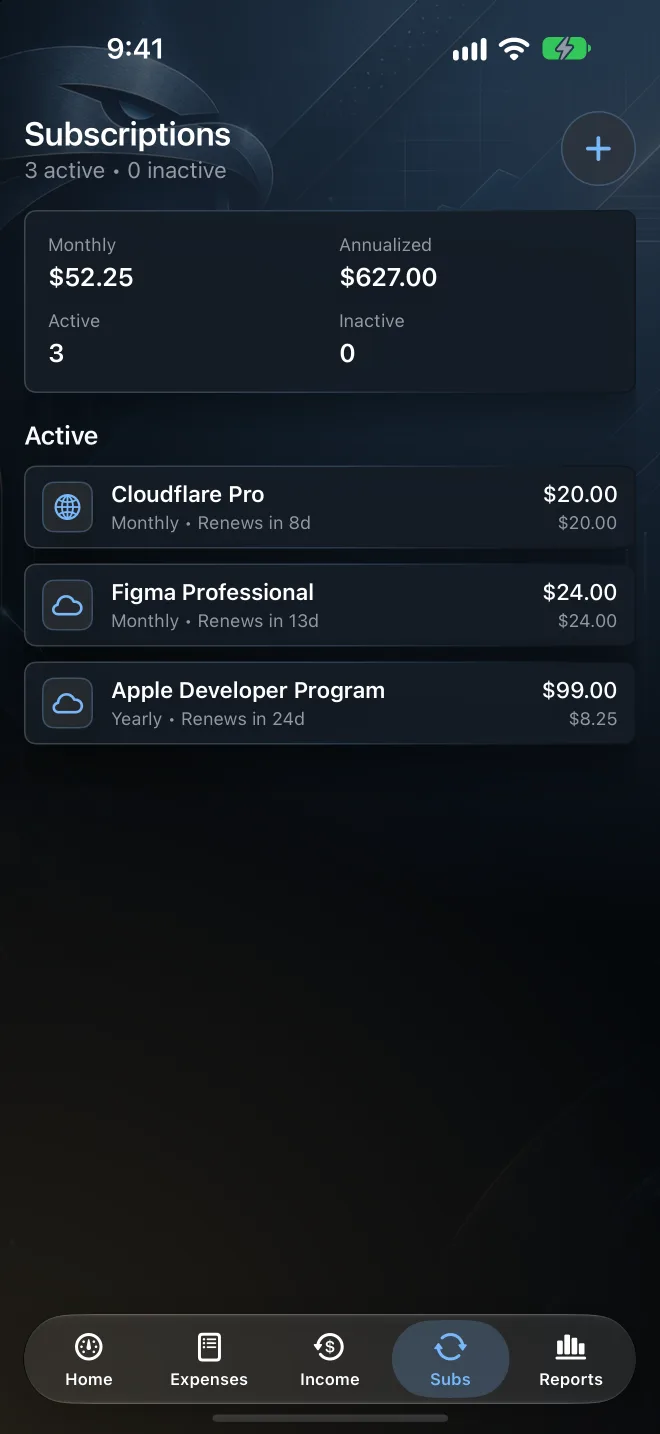
Every expense gets a category, a deduction status, and a business-use percentage. The dashboard keeps yearly spend, the deductible estimate, missing receipts, and upcoming renewals in one place.
Income & taxes
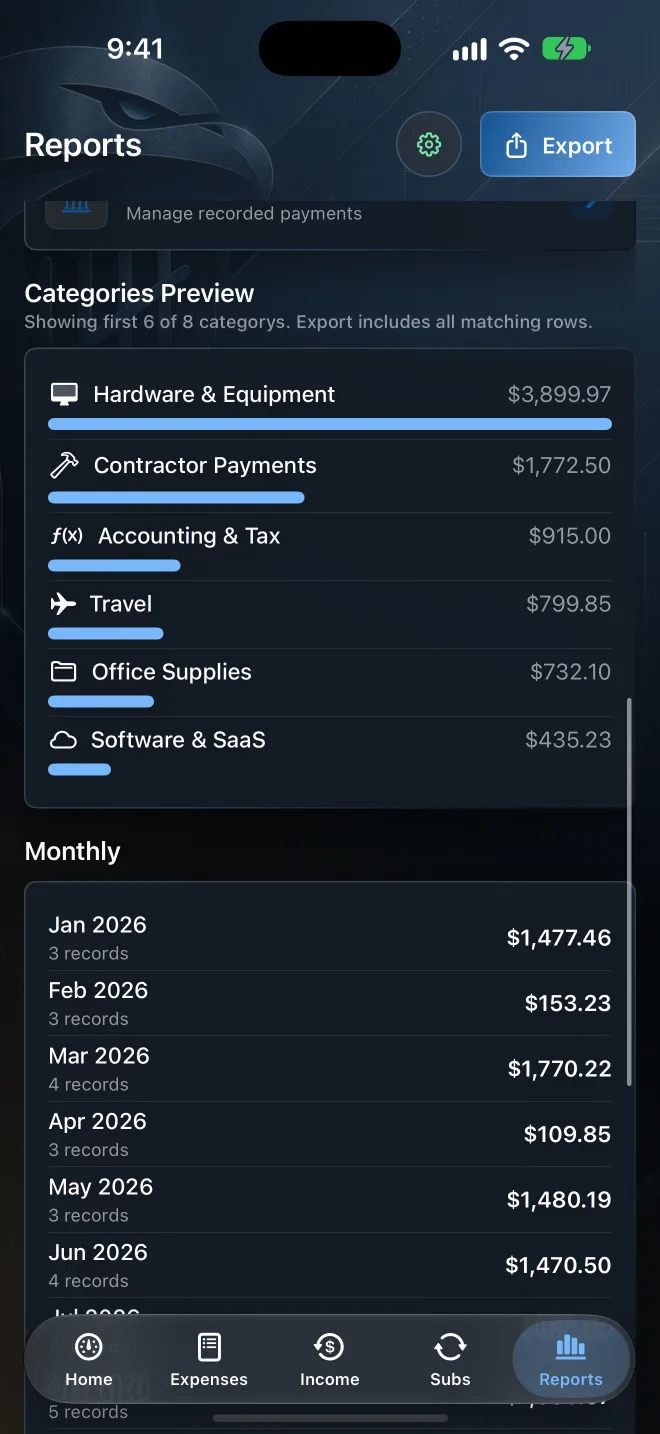
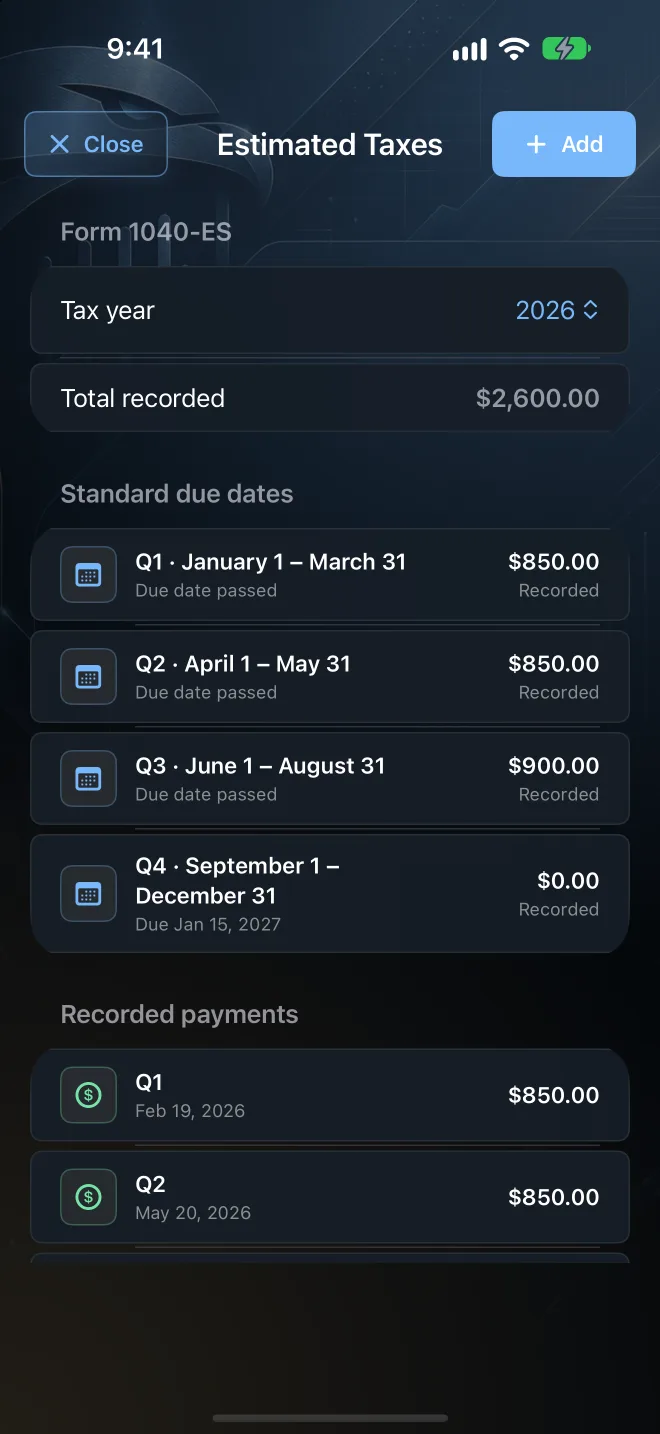
Track marketplace sales and what you netted before cost basis. Record estimated tax payments against each quarter’s due date. With Premium, send invoices as PDFs or collect payment through your own Stripe account.
iPhone · iPad · Mac
Capture on your phone during the year, then review and export on iPad or Mac. Premium keeps every device current through your own private iCloud Drive.
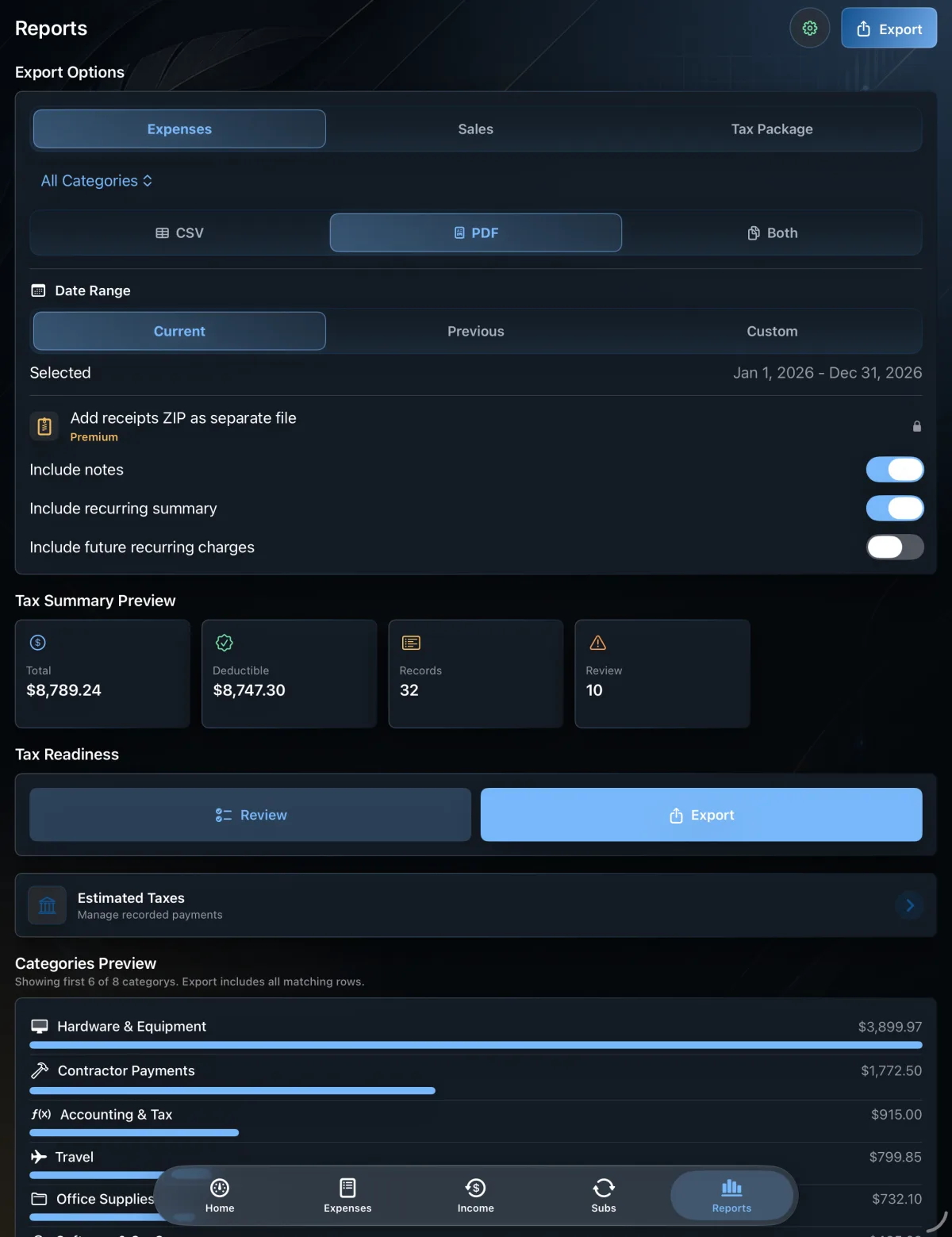
CSV and PDF tax summaries and receipt ZIPs are created locally, then shared however you like.
Records sync through your iCloud Drive. Talon Tally servers never receive that data.
Wider layouts on iPad and Mac. On Mac, import receipt images and PDFs from Finder.
How it works
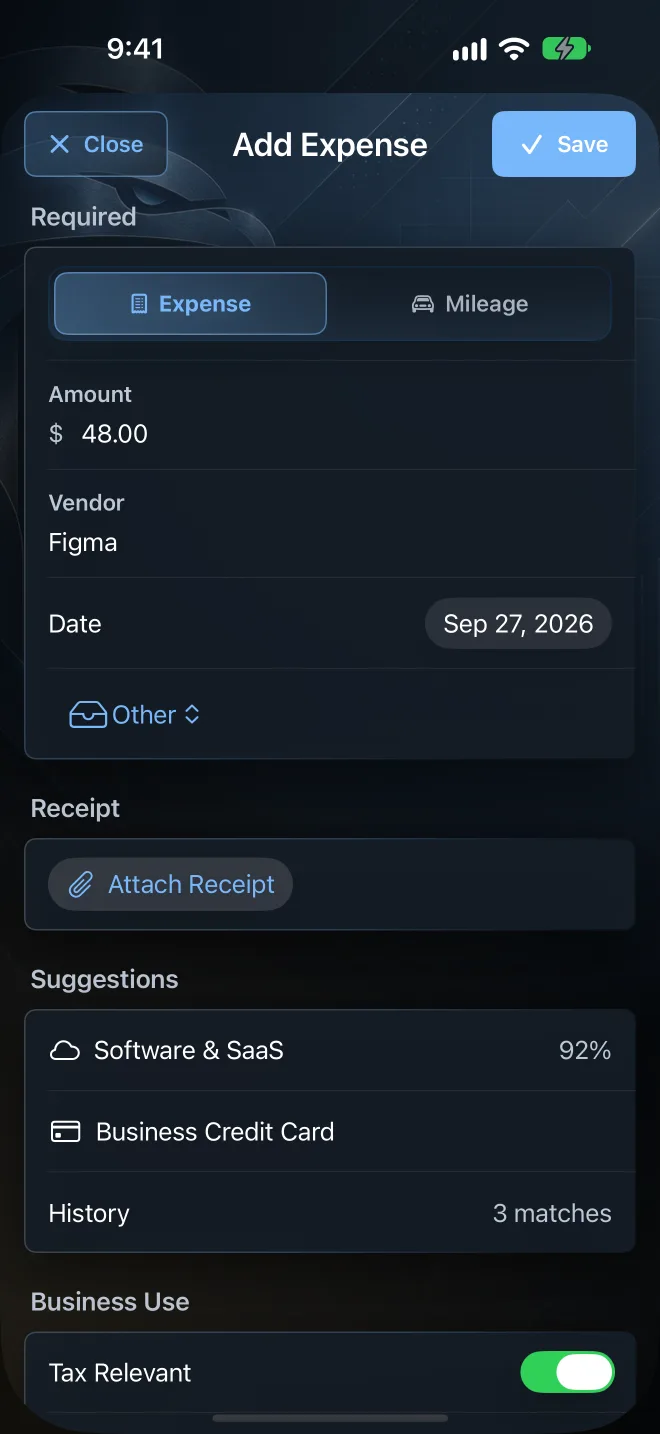
Type an amount and a vendor, scan a paper receipt, import a photo or PDF, or forward an emailed receipt with Premium.
Check the vendor, total, date, and category. Nothing becomes a record until you save it.
At tax time, export CSV and PDF summaries and a receipt ZIP for your accountant.
Is it right for you?
Talon Tally is an expense and receipt tracker, not accounting software. Here is when it fits and when you need something bigger.
Pricing
Everything you need to track the year is free. Premium adds the hand-off and the extras.
Track every expense, receipt, and recurring cost.
Free trial
Monthly or yearly. One upgrade covers all your devices.
Prices are shown in the App Store before you subscribe. During the free trial, PDF exports are watermarked and CSV and receipt ZIP exports cover the current month.
Private by design
Expense tracking needs no account and never touches your bank. Receipts you scan are read on your device, and expense exports are created locally. There are no ads, analytics, or tracking SDKs. Email forwarding and invoicing use Talon Tally servers only when you turn them on.
Questions
Clear scope, clear privacy choices, and no accounting-software theater.
Solo founders, freelancers, consultants, independent contractors, side businesses, and LLCs with one or two owners. It suits people who want to capture receipts and expenses through the year and hand clean records to an accountant at tax time, without running full accounting software.
Business expenses with receipts, mileage, recurring costs like software subscriptions and domain renewals, eBay sales and fees from transaction report CSVs, and the quarterly estimated tax (Form 1040-ES) payments you make. Each expense can be marked deductible, partly deductible, or needs review, with a business-use percentage for mixed-use purchases.
On iPhone or iPad, tap Scan receipt on the Dashboard and photograph the receipt, or import a photo or PDF. Text is recognized on your device, and you review the vendor, total, date, and category before anything is saved. On Mac, import a receipt image or PDF.
No. It is a focused expense and receipt tracker for owner-operated businesses. There is no double-entry ledger, payroll, or bank reconciliation. It helps you capture, organize, and export records. It does not replace professional accounting, legal, or tax advice.
No. Expense tracking, receipt scanning, and JSON backups work without an account, and Talon Tally never asks for your bank login. Email sign-in is only needed for the optional Premium email forwarding and invoicing features.
On your device. If you turn on Premium sync, your records are stored in your own private iCloud Drive, and Talon Tally servers never receive that data. Email forwarding and invoicing use Talon Tally servers only when you turn them on, as described in the privacy policy.
Yes. The same app runs on iPhone, iPad, and Mac (macOS 14 or later). Camera scanning needs an iPhone or iPad. On Mac, import receipt images or PDFs instead.
Every Premium feature. During the trial, PDF exports carry a watermark and CSV and receipt ZIP exports cover the current month. Full-year exports start with your paid period. You can cancel any time in your App Store settings.
Yes. A full JSON backup and restore is free for everyone, so your records are never locked in.
If you need double-entry bookkeeping, bank feeds and reconciliation, payroll, several users on one company file, or accrual-basis statements, use full accounting software. Talon Tally stays focused on capturing and organizing records for owner-operated businesses.
No. You mark each expense as deductible, partly deductible, or needs review. Talon Tally keeps the records organized but does not determine deduction eligibility. Confirm deductions and filing decisions with a qualified professional.

Available for iPhone, iPad & Mac
Download Talon Tally and start the year’s records today. No account, no bank login.