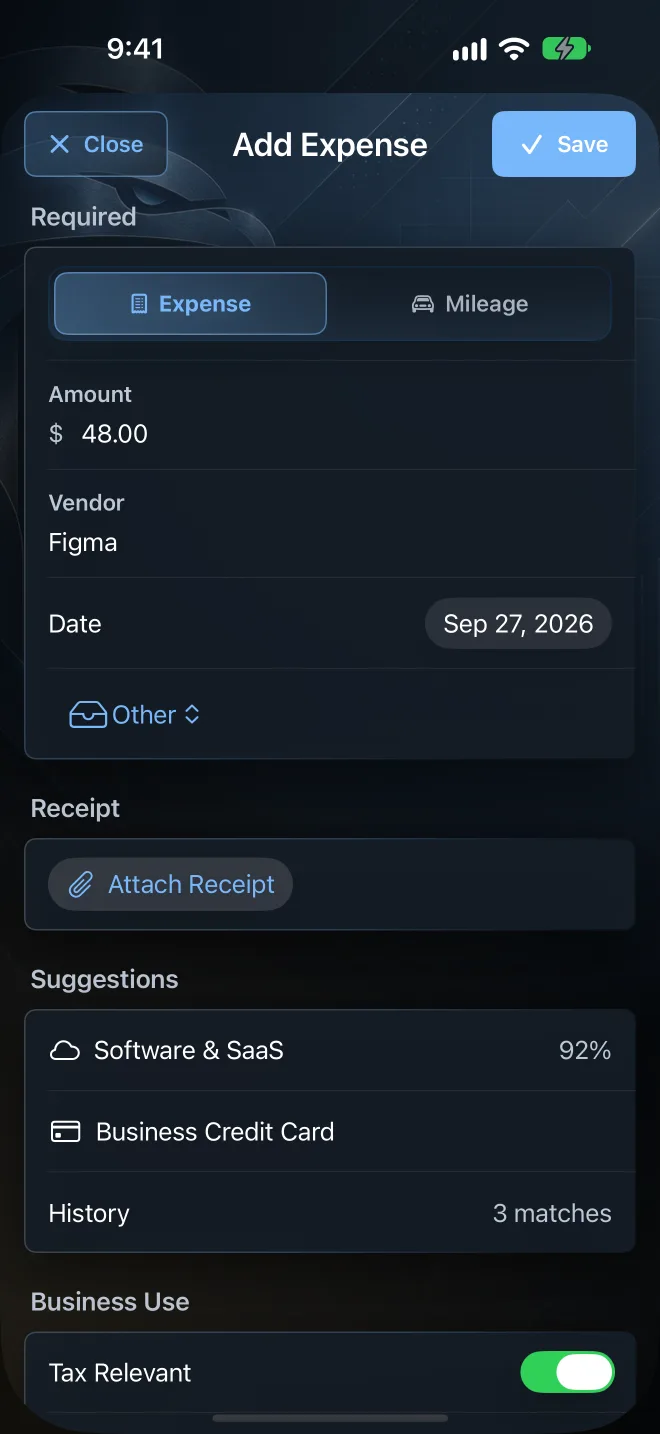
Add expense
Log a business expense in a few taps.
Enter an amount and a vendor. Talon Tally suggests a category from your history, and you can set the date, deduction status, business-use percentage, and notes, then attach a receipt.
- Open Talon Tally and tap Add expense on the Dashboard
- Type the amount and vendor, or pick a vendor you used before
- Check the suggested category and deduction status
- Attach a receipt if you have one, then save
This link opens Talon Tally directly on an iPhone, iPad, or Mac that has the app installed. If you are seeing this page, download Talon Tally from the App Store, then tap the link again.

Talon Tally is a private receipt and business expense tracker. No bank login and no account needed. It is recordkeeping software, not tax, legal, or accounting advice. See all features